Hands-On AI for Data Pros: Let an Assistant Help Build Your Power BI Model, Safely
This is the first in a short series for the people who actually build things: analysts, BI developers, data engineers. Less news, more "here's what to try on Monday."
We covered MCP earlier as the plug that lets an AI assistant work with real systems. Microsoft now documents MCP servers for Power BI, which means the idea has reached the tool a lot of credit union data teams use every day. Here's what's there and how to try it without making a mess.
What exists
According to Microsoft Learn, there are two current servers and one earlier one.
The Authoring server is for building. An AI assistant can create, update, and delete tables, columns, measures, relationships, hierarchies, calculation groups, and security roles. It can run bulk operations, check a model against best practices and apply fixes, and run DAX queries to validate what it built. It works with TMDL and PBIP files, which is what you want if your models live in source control.
It comes two ways. The hosted version, which Microsoft runs for you, is in preview. The local version, which supports Power BI Desktop and PBIP files on disk, is generally available.
Fabric IQ is for consuming. It answers natural language questions over governed Power BI data and is read-only. Microsoft says it respects the permissions, row-level security, and object-level security already defined on the models.
The earlier consumption server is still documented for existing integrations, but Microsoft doesn't recommend it for new work.
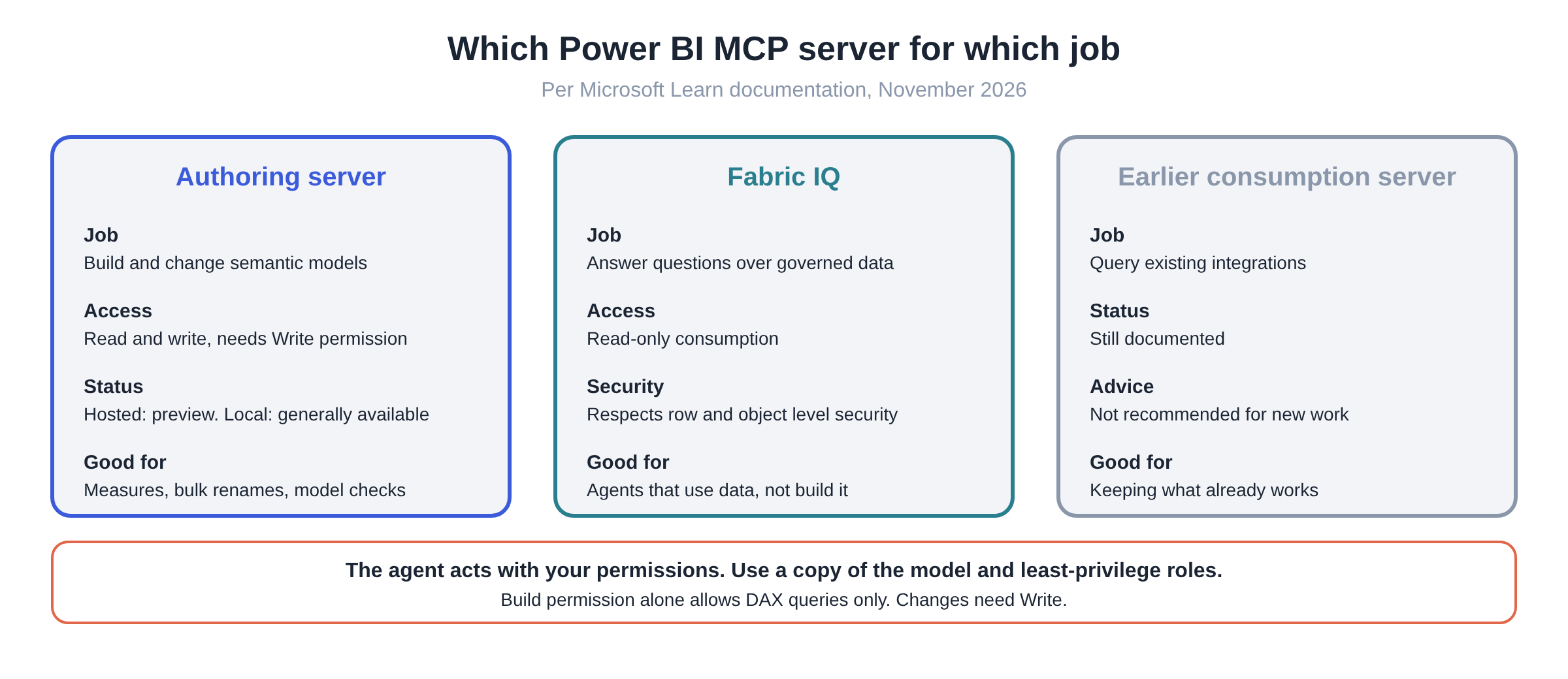
One line from the docs is worth remembering. The authoring server "can run DAX so that you can validate the model you're building, but it isn't designed to answer business questions for end users." Building and asking are different jobs with different servers.
Where it helps a BI team
These are the tedious, error-prone jobs that an assistant can speed up:
- Bulk cleanup. Renaming hundreds of columns to a standard, or adding descriptions to every measure.
- Model review. Running a best-practice check and getting a list of fixes you can accept or reject one at a time.
- First drafts of measures. Time intelligence, ratios, and variances that you then test.
- Documentation. Generating a readable description of what a model contains.
- Security roles. Drafting row-level rules for you to review.
Nothing here replaces judgment. The assistant drafts and you decide.
What to know before you connect it
Microsoft's documentation is direct about the risks, and we'd take it seriously.
- It acts as you. Clients use the signed-in user's Fabric permissions. The docs warn that "an autonomous or misconfigured client might perform destructive actions" and recommend least-privilege roles.
- Safeguards vary. Flags that block destructive operations aren't standardized in MCP, and not every client supports them.
- It moves data. In the docs' words, an MCP server "doesn't expand data access, but it does move data." Metadata, schemas, and query results can go to the AI provider. For a credit union, that's a vendor and privacy question before it's a technical one.
- Permissions decide what works. For the hosted server, Build permission alone lets the agent run DAX queries. Changes need Write permission.
- Admin setup. The hosted server requires a Fabric administrator to enable a tenant setting for the endpoint.
- Limits. DAX query tools stop at 100,000 rows, and the hosted server doesn't support transactions or trace tools.
- Scope. It does modeling only. It can't change report pages or diagram layouts.
A careful first afternoon
- Pick a copy. Use a development workspace or a duplicate of a model you can afford to break. Not your production member model.
- Check with security first. Settle what data the AI provider is allowed to see. If member-level data is in the model, that's a question for your governance group before you connect anything.
- Use a low-privilege role. Start with Build permission only. Let the assistant read and run DAX before it can write.
- Work in source control. Save the model as a PBIP project in a Git repository, so every change is a visible, reversible diff.
- Ask it to list its tools. Microsoft suggests asking the agent what it can do with the server. You'll see what's actually exposed in your version.
- Start with one small job. A model best-practice review, or documenting measures. Read every change before you accept it.
- Test what it wrote. Validate measures against numbers you already trust, such as a call report figure or a finance total.
- Write down what you learned. What worked, what it got wrong, and what you'd allow in production.
If it goes well, move to Write permission on the copy, then talk about production with your governance group and your Fabric admin.
The honest caveat
Parts of this are still in preview, and details change. We haven't tested every feature, so treat this as a map from the documentation rather than a review. Check Microsoft Learn before you rely on anything specific, and check with your Fabric administrator on what your tenant allows.
The mindset that works is the same one we've suggested for other AI tools: pick one boring task, keep a person in the loop, and look at the logs. Data teams are well placed to do that, because you already know the numbers well enough to tell when something's off.
Sources